
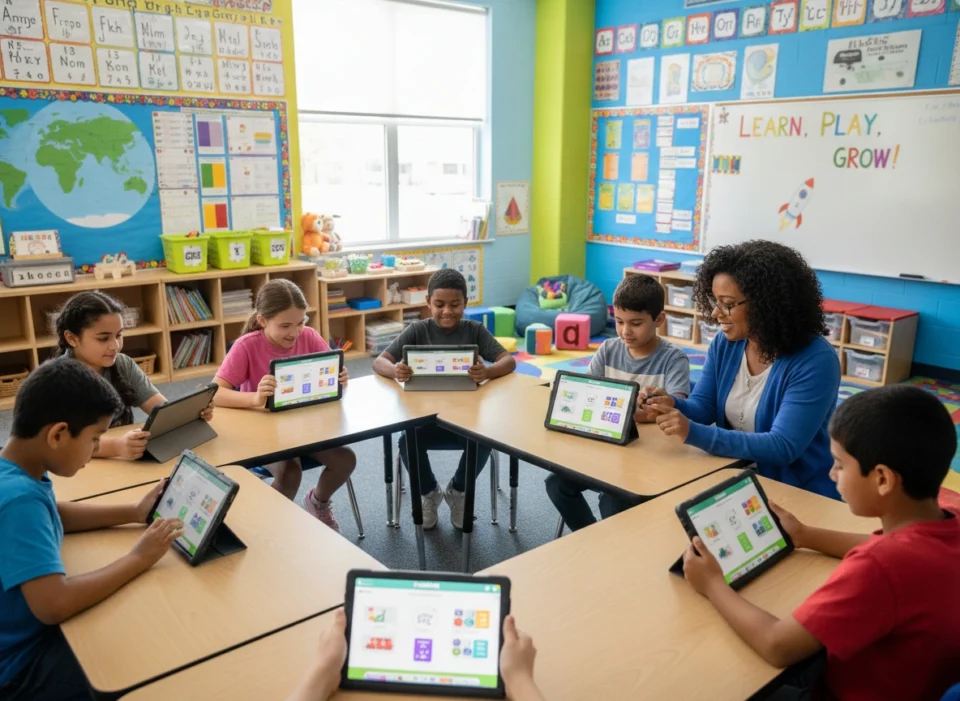
Educators are constantly searching for tools that can engage students and make learning more accessible. For those in special education, this search is even more critical. Students with diverse learning profiles require flexible, adaptable, and motivating resources. Gimkit, a game-show-style learning platform, has emerged as a powerful tool that can be customized to meet these unique requirements, transforming the classroom experience for students and teachers alike.
This article explores how Gimkit can be effectively adapted for special education. We will cover its key benefits, highlight specific features that support diverse learners, and provide practical tips for implementation. By understanding its potential, educators can unlock a new level of engagement and academic success for their students.
The Power of Gamification in Special Education
Before diving into Gimkit specifically, it’s important to understand why gamified learning is so effective for students with special needs. Traditional instruction can sometimes feel rigid and overwhelming. Gamification introduces elements like points, competition, and immediate feedback, which can significantly improve a student’s learning experience.
For students with attention-deficit/hyperactivity disorder (ADHD), the fast-paced nature of a game can help maintain focus. For those with autism spectrum disorder (ASD), the clear rules and predictable structure of a game can reduce anxiety. Students with learning disabilities often benefit from the repetitive, low-stakes practice that games provide, allowing them to build mastery without the fear of failure. Gamification turns learning from a passive activity into an active, engaging pursuit.
Why Gimkit Works for Diverse Learners
Gimkit takes the principles of gamification and builds them into a highly flexible platform. Unlike more rigid quiz tools, it offers a dynamic environment that can be tailored to individual student needs. This adaptability is its greatest strength in a special education setting.
The core benefits of using Gimkit include:
- Increased Motivation: The platform’s currency system, where students earn in-game cash to buy power-ups and upgrades, is a powerful motivator. It encourages persistence and rewards effort, not just correct answers.
- Reduced Anxiety: Students answer questions on their own devices at their own pace. This eliminates the social pressure of raising a hand or answering in front of peers, creating a safer learning environment.
- Repetitive Practice: Game modes like “The Floor is Lava” and “Trust No One” require students to answer multiple questions correctly to survive or succeed. This built-in repetition helps reinforce concepts and build fluency.
- Immediate Feedback: Gimkit provides instant feedback on every question. Students immediately know if their answer was correct, allowing them to self-correct and learn from their mistakes in real time.
Key Gimkit Features for Special Education Classrooms
Gimkit is more than just a quiz. Its suite of features allows teachers to scaffold instruction and accommodate a wide range of learning needs.
Customizing Question Sets (Kits)
The foundation of any Gimkit game is the “Kit,” or question set. Educators can create their own Kits, import them from other platforms like Quizlet, or search a gallery of user-created content. This flexibility is crucial for differentiation.
- Content Control: Teachers can design Kits that precisely match their curriculum and students’ Individualized Education Program (IEP) goals. You can focus on a single skill, like identifying sight words, or create a mixed review.
- Visual Supports: Gimkit allows you to add images to questions. This is invaluable for visual learners, English language learners, and students who struggle with text-heavy content. For a math problem, you could include an image of a number line. For vocabulary, you could add a picture representing the word.
- Audio Support: The “Read to Me” feature allows questions and answer choices to be read aloud. This is a game-changer for students with reading disabilities like dyslexia or for those who are auditory learners. It ensures that a student’s reading level does not become a barrier to showing what they know.
Adapting Game Modes and Settings
Once a Kit is created, the teacher chooses a game mode. Each mode offers a different experience, and the settings within each can be further customized.
- Time and Pace: In most modes, you can set a time limit or a goal for the game (e.g., first team to reach $100,000). For students who need more processing time, you can extend the game duration or choose a mode without a strict time-per-question limit. “Classic” mode allows students to work at their own pace.
- Collaboration vs. Competition: While some students thrive on competition, others find it stressful. Gimkit offers both. In “Team Mode,” students work together, pooling their money to reach a common goal. This fosters collaboration and reduces individual pressure. Modes like “Humans vs. Zombies” also rely on teamwork for survival.
- Assignments for Asynchronous Learning: The “Assignment” feature allows students to complete a Kit on their own time. Teachers can set a due date and a target cash amount for students to reach. This is perfect for homework, station rotations, or for students who were absent. It provides the same repetitive practice in a low-pressure, self-paced format.
Practical Implementation Strategies for Educators
Successfully integrating Gimkit requires thoughtful planning. Here are some tips for using it effectively in a special education setting.
1. Start Simple
Introduce Gimkit with a fun, non-academic Kit to get students comfortable with the platform. Use a Kit with questions about school mascots, favorite movies, or “get to know you” prompts. Focus on teaching them how the game works—earning money, buying upgrades, and using power-ups. Once they understand the mechanics, you can introduce academic content.
2. Differentiate with Assignments
You don’t have to play the same game with every student. Use the Assignment feature to create differentiated practice. You might assign one group a Kit focused on basic multiplication facts while another group works on multi-step word problems. Each student can work on a skill tailored to their specific needs, all within the same engaging platform.
3. Model Everything
Before starting a game, model how to play on the board. Show students how to log in, how to read the question, where to find the “Read to Me” button, and how the shop works. For complex game modes like “Trust No One,” you may need to play a practice round together as a class. Clear expectations and modeling reduce confusion and anxiety.
4. Focus on Growth, Not Just Winning
Celebrate effort and improvement. Highlight a student who answered more questions correctly than last time or who persisted even when they were low on in-game cash. You can set personal goals for students, such as “Try to earn $1,000 more than you did yesterday.” This shifts the focus from winning the game to personal growth and learning.
5. Use Gimkit Ink for Creative Expression
Don’t forget about Gimkit Ink, the platform’s collaborative publishing tool. Students can contribute to a shared document, adding their thoughts, ideas, or drawings. This can be used as a pre-writing activity, a brainstorming session, or a way for non-verbal students to share their ideas. It provides a different avenue for participation and expression.
Conclusion: A Tool for Inclusive Learning
Gimkit is not just another educational game; it is a versatile and powerful tool for creating inclusive learning experiences. Its combination of engaging mechanics, customizable content, and accessibility features makes it uniquely suited for the special education classroom. By allowing students to work at their own pace, providing immediate feedback, and offering multiple ways to demonstrate knowledge, Gimkit empowers learners who may struggle in more traditional settings.
When implemented thoughtfully, Gimkit can help educators meet IEP goals, increase student motivation, and make learning genuinely fun. It provides a space where students can practice skills, build confidence, and experience academic success on their own terms. For special educators aiming to adapt to the unique needs of every child, Gimkit is an invaluable addition to their instructional toolkit.
Please visit the official site for more info.
